
Feature
Display selected Shopify discount codes in the cart
Display selected Shopify discount codes in the cart, explain each offer clearly, and let shoppers apply eligible codes without searching elsewhere.Bring public promotions into the buying journey
A discount code can be active in Shopify and still be difficult to find. It may live in an email, a social post, or a banner that disappears before the shopper reaches the cart. Coupon List Lite gives selected offers one consistent place near purchase intent: the cart.
The shopper opens a focused offer list, reads the public title and description, and chooses a code to apply. The underlying minimums, dates, customer rules, products, usage limits, and combinations still come from Shopify.
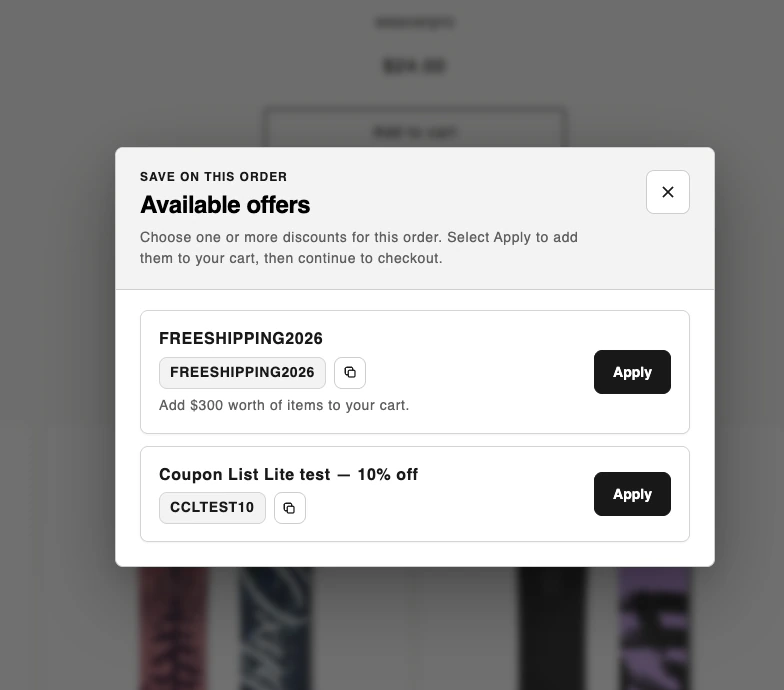
Control what shoppers can see
Select up to 10 active code discounts. For every offer, you can write a customer-facing title and short explanation, choose its order, and hide it without deleting the discount in Shopify.
- Publish only codes that are intended for public discovery.
- Keep internal discount names separate from storefront copy.
- Reorder seasonal or priority offers.
- Disable the whole list when a campaign ends.
Optional cart eligibility checks
When Respect coupon eligibility rules is enabled, the app confirms offers against the current cart before showing them. If eligibility cannot be confirmed, the offer is hidden rather than presented as a code that may fail.
Always test promotion rules in your own store. The final result still depends on Shopify's discount configuration, the cart, the customer, and whether selected discounts are allowed to combine.
No theme code required
The storefront experience is delivered through a Shopify theme app embed. Enable it in the theme editor, choose a cart-page or cart-drawer placement, then match the button, popup, cards, and status messages to your theme.
Make active discounts easier to find